Kigi (kigi) 🌘

🕸️ The world's first CLI with built-in Graph Engineering

/graph turns one objective into a dependency graph of autonomous, self-verifying agent loops — planned, parallelized, adversarially verified, and merged back, end to end.

**Kigi** started as an unofficial Kimi Code CLI community build, a terminal-based AI coding agent re-targeted at the Kimi Code subscription API, built on the Apache-2.0 sources of [xai-org/grok-build](https://github.com/xai-org/grok-build). It first shipped wired to Kimi Code and the Moonshot open platform. By request, it now works with 25 providers: OpenAI, Anthropic, Google, xAI, Groq, Cerebras, OpenRouter, MiniMax, Z.AI, Qwen, Xiaomi, and more. The full list is under [Providers and API keys](#providers-and-api-keys). It runs as a full-screen TUI that understands your codebase, edits files, executes shell commands, searches the web, and manages long-running tasks, interactively, headlessly for scripting/CI, or embedded in editors via the Agent Client Protocol (ACP). [Installation](#installation) · [Graph engineering](#graph-engineering) · [Providers and API keys](#providers-and-api-keys) · [Building from source](#building-from-source) · [Coexistence with the official CLI](#coexistence-with-the-official-kimi-cli) · [License](#license) ![Kigi demo](video/Kigi.gif) [Full-quality recording (mp4)](video/Kigi.mp4)
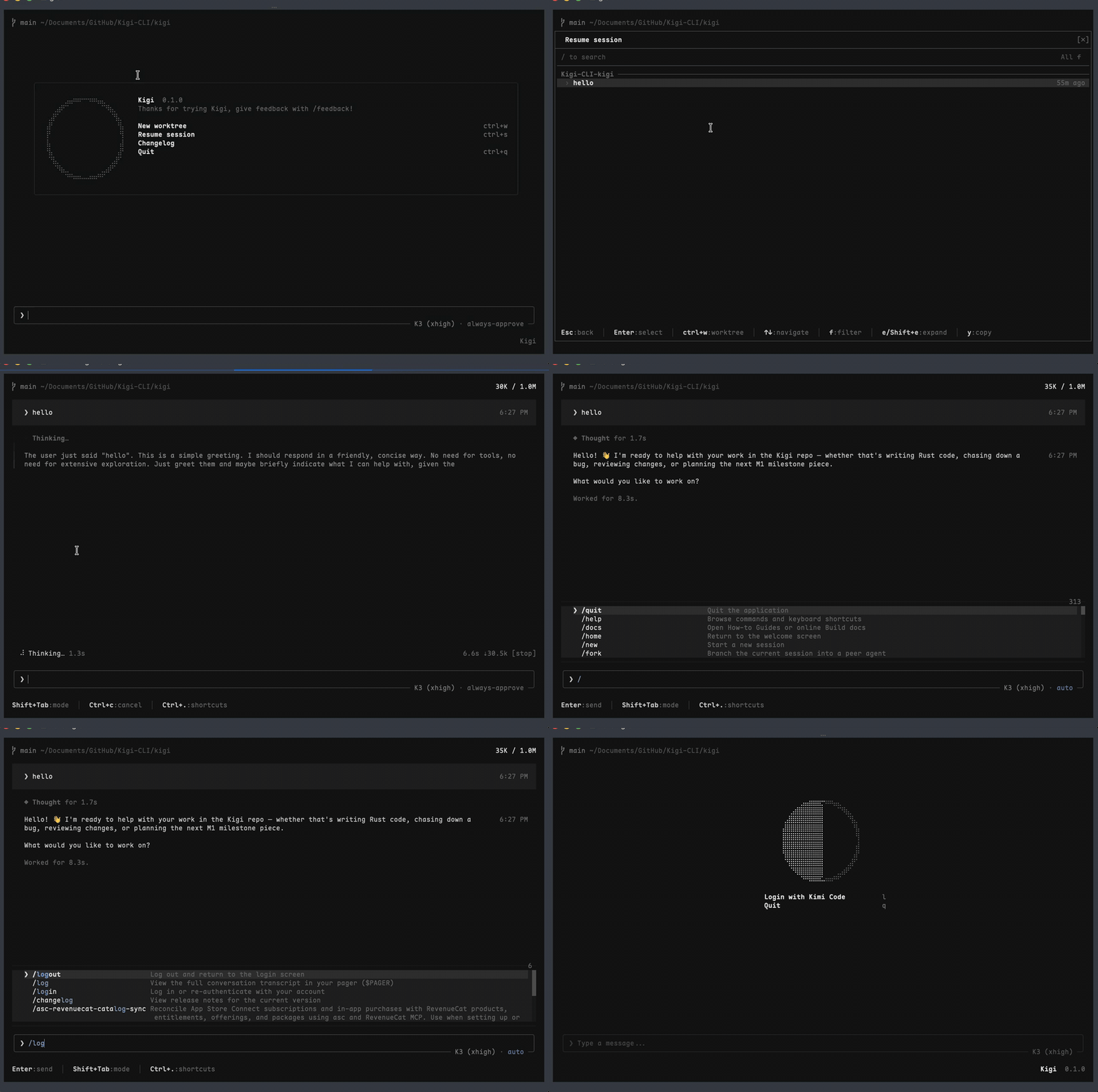
--- ## Installation Prebuilt single-file binaries for macOS (arm64/x86_64), Linux (arm64/x86_64), and Windows (x86_64) are published on [GitHub Releases](https://github.com/ZacharyZhang-NY/Kigi-CLI/releases): ```sh # macOS / Linux curl -fsSL https://raw.githubusercontent.com/ZacharyZhang-NY/Kigi-CLI/main/install.sh | bash ``` ```powershell # Windows PowerShell irm https://raw.githubusercontent.com/ZacharyZhang-NY/Kigi-CLI/main/install.ps1 | iex ``` ```sh kigi --version # kigi 0.1.1 … unofficial Kimi Code CLI community build kigi login # sign in with your Kimi Code subscription (device-code flow) kigi # start the TUI ``` The installer verifies every download against the release's `SHA256SUMS`, installs into `~/.kigi/bin/kigi` (`%USERPROFILE%\.kigi\bin\kigi.exe` on Windows), persists the PATH line for you, and **enables graph engineering by default** (`KIGI_GRAPH=1`; see [Graph engineering](#graph-engineering) to disable). Later releases arrive through the built-in self-updater (`kigi update`, gated by `KIGI_AUTO_UPDATE`), which pulls from the same GitHub Releases feed. ## Graph engineering Kigi is the first CLI to ship *graph engineering* as a first-class command: where a loop drives one agent, a graph is the programmable organization connecting many. ``` /graph [--budget ] # decompose + run fully autonomously /graph status # node tree, budget, current work /graph show # box-drawing DAG view /graph pause | resume [--budget ] # halt / continue (budget top-up) /graph clear # abandon the graph ``` One `/graph ` runs the whole closed loop: a planner subagent decomposes the objective into a validated dependency DAG; independent nodes fan out as parallel workers in isolated git worktrees, each gated by an adversarial verifier and merged back three-way; out-of-scope discoveries (`DISCOVERED:`) replan the graph append-only; a topology optimizer prunes false dependencies at plan boundaries; and a terminal verification node re-checks the *whole* objective before the graph completes. State follows your repo in `.kigi/graph.jsonl`, so a fresh session — or a teammate — can `/graph resume` where you left off. The installer enables it by default. To disable: ```sh # macOS / Linux echo 'export KIGI_GRAPH=0' >> ~/.zshrc # or ~/.bashrc / ~/.bash_profile ``` ```powershell # Windows PowerShell [Environment]::SetEnvironmentVariable('KIGI_GRAPH','0','User') ``` (One-off instead: `KIGI_GRAPH=0 kigi`.) Tuning knobs: `KIGI_GRAPH_CONCURRENCY` (parallel nodes, default 3), `KIGI_GRAPH_NODE_ROUNDS` (worker↔verifier rounds per node, default 3), `KIGI_GRAPH_REPLAN_CAP` (replan passes, default 3), `KIGI_GRAPH_OPTIMIZER=0` (disable the optimizer pass). ## Providers and API keys Kigi ships a fixed registry of 25 platforms: the Kimi Code subscription plus 24 API-key providers. There is no dynamic provider registration; each is a compiled-in spec. **Kimi Code** (the original target) uses subscription OAuth, not an API key: | Platform id | Base URL | Auth | | ----------- | -------------------------------- | ------------------------------------------- | | `kimi-code` | `https://api.kimi.com/coding/v1` | Kimi Code subscription OAuth (`kigi login`) | **API-key providers.** Set the provider's env var, or put the key in `~/.kigi/config.toml` under `[platforms.]`. The environment wins, a platform-scoped name beats a generic one, and keys are never logged. | Provider | Platform id | API key env | | ------------------------- | ---------------------- | ----------------------------------------------- | | Moonshot (moonshot.cn) | `moonshot-cn` | `KIGI_MOONSHOT_CN_API_KEY` (or `KIGI_MOONSHOT_API_KEY`) | | Moonshot (moonshot.ai) | `moonshot-ai` | `KIGI_MOONSHOT_AI_API_KEY` (or `KIGI_MOONSHOT_API_KEY`) | | OpenAI | `openai` | `OPENAI_API_KEY` | | Anthropic | `anthropic` | `ANTHROPIC_API_KEY` | | DeepSeek | `deepseek` | `DEEPSEEK_API_KEY` | | Groq | `groq` | `GROQ_API_KEY` | | Mistral | `mistral` | `MISTRAL_API_KEY` | | Fireworks AI | `fireworks` | `FIREWORKS_API_KEY` | | Google Gemini | `google` | `GEMINI_API_KEY` | | OpenRouter | `openrouter` | `OPENROUTER_API_KEY` | | Together AI | `together` | `TOGETHER_API_KEY` | | Cerebras | `cerebras` | `CEREBRAS_API_KEY` | | NVIDIA NIM | `nvidia` | `NVIDIA_API_KEY` | | Vercel AI Gateway | `vercel-ai-gateway` | `AI_GATEWAY_API_KEY` | | xAI (Grok) | `xai` | `XAI_API_KEY` | | Qwen Token Plan | `qwen-token-plan` | `QWEN_TOKEN_PLAN_API_KEY` | | Qwen Token Plan (China) | `qwen-token-plan-cn` | `QWEN_TOKEN_PLAN_CN_API_KEY` | | Kimi For Coding | `kimi-coding` | `KIMI_API_KEY` | | Z.AI | `zai` | `ZAI_API_KEY` | | Z.AI Coding (China) | `zai-coding-cn` | `ZAI_CODING_CN_API_KEY` | | Xiaomi MiMo | `xiaomi` | `XIAOMI_API_KEY` | | Xiaomi Token Plan (China) | `xiaomi-token-plan-cn` | `XIAOMI_TOKEN_PLAN_CN_API_KEY` | | MiniMax | `minimax` | `MINIMAX_API_KEY` | | MiniMax (China) | `minimax-cn` | `MINIMAX_CN_API_KEY` | ```sh export OPENAI_API_KEY=sk-... export XAI_API_KEY=xai-... ``` ```toml # ~/.kigi/config.toml [platforms.openai] api_key = "sk-..." [platforms.xai] api_key = "xai-..." ``` On login and on startup Kigi syncs each configured platform's model list from `GET {base}/models` and shows the merged catalog in the model picker (catalog keys are `{platform_id}/{model_id}`). Model metadata (context window, thinking levels) comes from the live listing when the provider serves it, otherwise from a bundled models.dev snapshot. Models that advertise selectable thinking levels (e.g. K3's `low`/`high`/`max`) expose them in `/model` and `/effort`. If the sync fails, the last cached catalog is used; with no cache, a small built-in fallback list applies. Model selection resolves as `--model` CLI flag > `KIGI_DEFAULT_MODEL` > `[models] default` in config.toml > server-delivered list > built-in fallback. Each platform's base URL can be re-pointed for dev/test with `KIGI__BASE_URL` (e.g. `KIGI_CODE_BASE_URL`, `KIGI_MOONSHOT_CN_BASE_URL`, `KIGI_OPENAI_BASE_URL`). The web `search`/`fetch` tools ride the Kimi Code subscription services and are present only on OAuth sessions. API-key-only sessions run without them, matching the official client. ## Building from source ```sh rustup toolchain install 1.97.0 cargo build --profile release-dist -p kigi-bin ./target/release-dist/kigi --version ``` `protoc` is invoked through the vendored [dotslash](https://dotslash-cli.com) launcher at `bin/protoc`; install dotslash (`brew install dotslash` or `cargo install dotslash`) if it is not already on your PATH. ## Coexistence with the official Kimi CLI Kigi is not affiliated with Moonshot AI or xAI, and it coexists with the official `kimi` CLI on the same machine: independent binary name, independent config directory (`~/.kigi`), independent keyring credentials (service `kigi`), and a `KIGI_*` environment-variable namespace. Nothing the official client installs or stores is ever read at runtime or written. On first launch Kigi offers a **one-time, strictly read-only** import of your existing `~/.kimi` configuration (MCP servers, custom providers, default model) via `kigi import-kimi` — file contents and mtimes under `~/.kimi` are left untouched, verified by tests. Kigi is **zero-telemetry**: the only outbound connections are the inference/auth APIs you configure, GitHub Releases for updates, and MCP servers you add. ## License Apache-2.0. See [LICENSE](LICENSE), [NOTICE](NOTICE), and [THIRD-PARTY-NOTICES](THIRD-PARTY-NOTICES.md). Code ported from openai/codex and sst/opencode is documented in [crates/codegen/kigi-tools/THIRD_PARTY_NOTICES.md](crates/codegen/kigi-tools/THIRD_PARTY_NOTICES.md). Kigi is based on Grok Build Open Source; the `--version` output carries the attribution.